4.11.15 What does the “closed financial year” message mean when recording financial transactions?
There are number of places which may prompt an alert when you try recording financial transactions.
This is due to the financial year being locked and the system then prevents users from adding in financial records which could cause issues later on with the accounts.
The main purpose is to ensure that the final service charge accounts are not affected and the financial year is locked from the accountant submission screen using the 'Date Published' field.
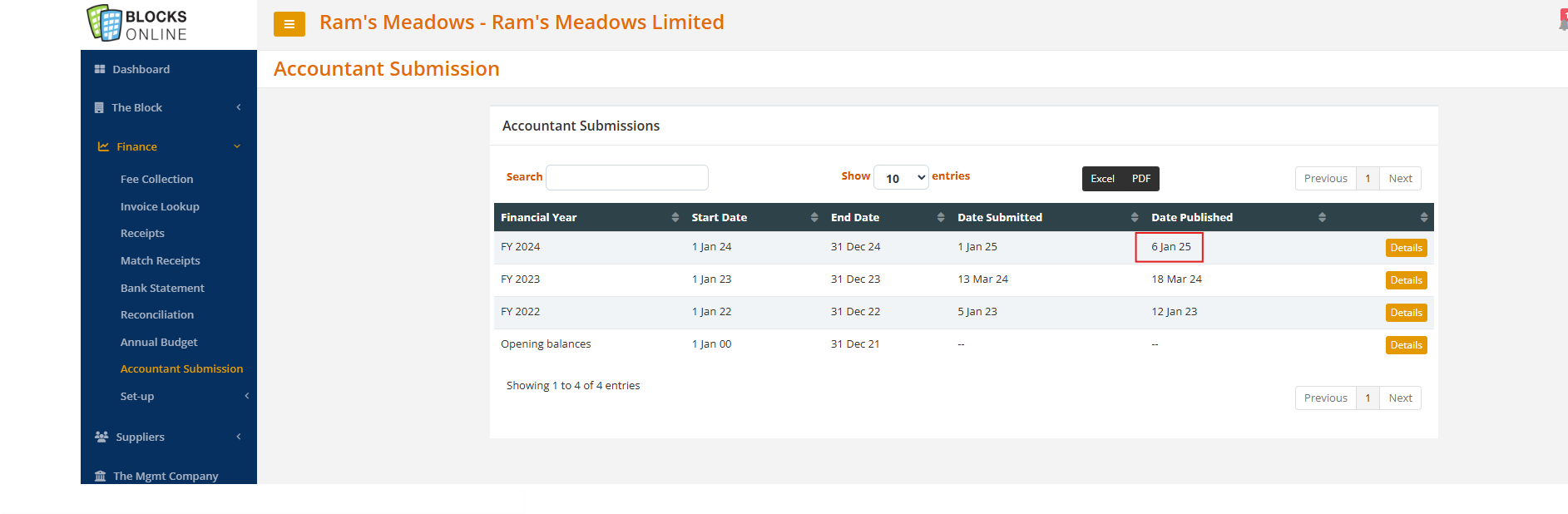

NOTE: If there is just a 'Date Submitted' entry then the user will be presented with this warning:
The various places where you will see these alerts:
Raising demands
Recording supplier Invoices
Recording receipts
NOTE: You may also get this alert if there is no financial year in the first place. To create a financial year, please create a budget with the relevant dates.
Related Articles
4.9.1 End of Year Processing Overview
Once all transactions have been processed for a financial year (i.e. demands raised, receipts posted, supplier invoices processed and payments recorded) the end of year processing can be performed. Firstly a set of financial reports can be run to ...4.4.1 Recording the Receipt of Funds
Access via the menu option: Finance -> Receipts The screen shows summary by Unit for all receipts recorded for the Block for the last 12 months from today’s date with the most recent receipt listed first. If you click on the ‘+’ icon on the top right ...3.5.11 Data Extract Service
This function does come with a charge which is detailed below in the pricing. Please be aware when switching on. As part of our standard Disaster Recovery service which is included in your Blocks Online (BOL) subscription agreement, back-ups are ...4.3.1 Setting an Annual Service Charge Budget
Before service charge demands can be issued, a budget needs to be set-up for the relevant financial year for the block. Access via the menu option: Finance -> Annual Budget NOTE: When a new block is registered, a template will be automatically ...3.4.15 Service Charge Accounts
This screen allows you to view all the financial year/service charge accounts for all blocks. Accessed via the Workbench -> Finance -> Service Charge Accounts -> Service Charge Accounts The list contains all the financial years for a block and you ...